
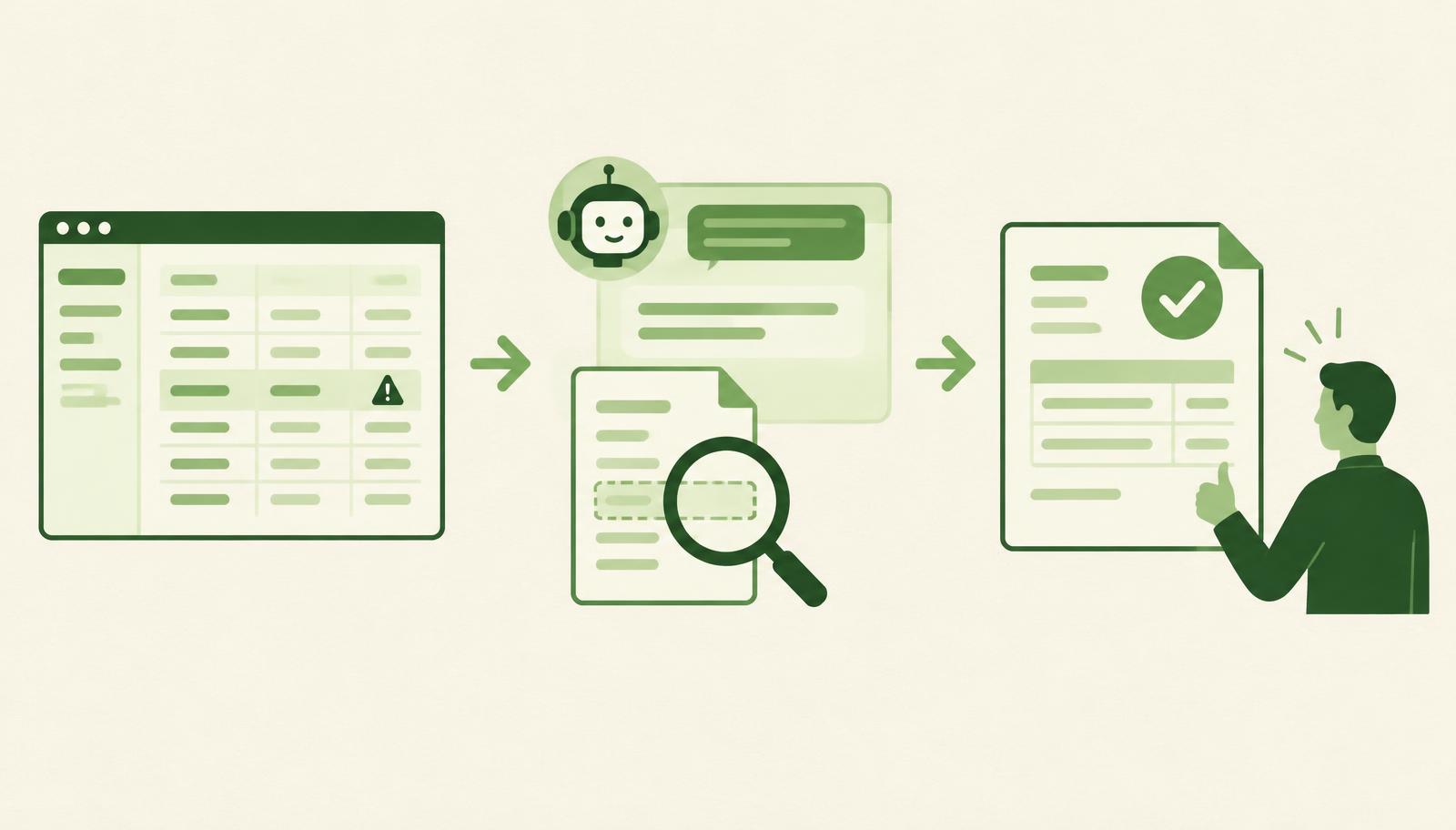
An AI assistant for Business Central shortens the time between a posting that stops and the moment you know exactly what to fix. Instead of opening a ticket and waiting days for a developer to become available, HOLY BC Agent reviews the error message, the setup and the master data in your Microsoft Dynamics 365 Business Central environment and suggests the cause and the next step. This article shows what that looks like in the daily work of finance and accounting teams, and how a dedicated assistant differs from the general-purpose Microsoft Copilot.
Why ERP blockers take longer than they should
Most blockers in Business Central are not a "major outage". An invoice cannot be posted because a posting group combination is missing, a payment is stuck because the vendor's bank account is wrong, or a report is off because someone created an item without a dimension. The fix often takes minutes; finding the cause is what costs time.
A typical support flow looks like this:
- An accountant gets an error message and cannot tell whether the problem is in the document, the master data or the setup.
- A ticket goes to the partner or the internal IT team.
- The ticket waits in the queue until a consultant or developer is free.
- Several rounds of questions follow: screenshot, document number, which user, which environment.
- Only then does the real diagnosis start.
Meanwhile invoices wait, VAT deadlines approach and the team keeps side notes "until it is sorted out". This stretch, from error to clear diagnosis, is where an AI assistant adds the most value.
What HOLY BC Agent does
HOLY BC Agent is an AI assistant integrated into the HOLYERP environment for Business Central. Its role is not to replace consultants and developers, but to shorten their path to a solution and let users resolve simple blockers without waiting. For a broader overview of the agent, including AL extension development, read Holy BC Agent: the AI agent for Business Central support.
The agent relies on three things:
- fast diagnosis – based on the error message and the document context, it explains what went wrong and where to check;
- knowledge of your configuration – it takes the local rules and system setup into account, not only the standard documentation;
- change planning – when a problem requires a modification, it prepares a clear description of what needs to change, so the developer receives a ready task instead of a vague ticket.
Diagnosing posting errors
Posting errors are the most common reason finance work stops. Examples accountants know well:
- a combination of general business and product posting groups is missing in the posting setup;
- there is no VAT posting setup for the customer's and item's VAT group combination;
- the posting date is outside the allowed period for that user;
- a mandatory dimension is missing on a document line.
The system message usually names only the symptom. The agent connects the message to the specific document, customer or item code and the setup involved, so the accountant gets an answer such as: "Item X has a VAT posting group that is not combined with this customer's group; add the combination to the VAT posting setup or correct the group on the item card." A person still makes the decision and the change, but without searching blindly.
Master data inconsistencies
Master data is a quiet source of problems. Duplicate vendors, a customer without a VAT number, an item without a posting group or a G/L account that does not match the chart of accounts do not cause an error right away, only when a document is posted, sent as an e-invoice or included in a report.
An AI assistant for Business Central can help spot such inconsistencies earlier: records missing required data, differences in setup between similar codes and likely duplicates. This is especially useful after a data migration or when several people create new records without shared rules.
Planning changes without waiting for a developer
Some blockers really do require a change, such as a new field on a document, different report logic or an adjusted integration. Here too the agent saves time: before a developer is even free, it prepares a description of the change, the parts of the system it affects and a suggested order of steps. The developer then works on a clearly defined task, and you know the scope in advance.
Microsoft Copilot and a dedicated AI assistant: the difference
Microsoft Copilot in Business Central is a built-in, general-purpose AI assistant. According to Microsoft's documentation, it is available in Business Central online, included in the license at no extra cost, and each of its capabilities has its own list of supported languages and regions. Copilot helps with a wide range of tasks: finding and analysing data, suggesting text and chatting about data the user has access to.
A dedicated assistant like HOLY BC Agent has a narrower but deeper focus: supporting and maintaining a specific implementation with its local rules.
| Criterion | Microsoft Copilot in Business Central | HOLY BC Agent |
|---|---|---|
| Purpose | General productivity in Business Central | Support, diagnosis and change planning |
| Context | Data and pages the user has access to | Local rules and the configuration of your system |
| Local regulations | Depends on language and region support | Aligned with the local rules and configuration of your Business Central implementation |
| Outcome | An answer, text suggestion or list analysis | The cause of a blocker and a concrete next step or change plan |
| Developer's role | Not the focus | Receives a prepared, clearly described task |
The two tools do not exclude each other. Copilot is useful for everyday productivity; a dedicated assistant is for the moments when work has stopped and the answer must reflect how your system is actually set up.
Examples from everyday finance work
A purchase invoice cannot be posted. The invoice has been imported, but posting fails. The agent checks the vendor, VAT groups and posting setup and points out that the vendor was created with the wrong VAT posting group. The accountant corrects the card and posts the same day.
Month-end and a closed period. Several users cannot post documents dated the last day of the month. The agent recognises that the allowed posting period in the user setup has already been moved and explains who can change it and where.
The project report does not match the general ledger. The agent finds entries without the mandatory project dimension and lists the documents they come from. Read more about cost tracking in ERP for finance, projects and company growth.
A report change is needed. Controlling asks for a new column in a report. The agent prepares a description of the change and what it affects, so the developer receives a task ready to work on, without extra rounds of questions.
Using AI safely and under control
Speed must not come at the expense of control. Three principles matter:
- A person approves. The agent suggests the cause and the steps; an authorised user changes setup and master data.
- Permissions are not bypassed. The assistant should work within the rules that apply to your environment and users.
- There is a trail. Keep the diagnosis and change plan with the support request, so it is clear later what was changed and why.
We wrote more about this approach in Business Central with AI, but under control.
When an AI assistant makes the most sense
An AI assistant for Business Central brings the most benefit when:
- the finance team often stops on posting errors and waits for support;
- the system has local customisations that generic tools do not fully follow;
- master data is inconsistent after a migration or fast growth;
- developers are overloaded and small requests queue behind large ones.
If you recognise at least two of these situations, you are probably losing more time waiting than working.
Try HOLY BC Agent on your own case
The best way to judge the benefit is to let the agent analyse the blockers your team actually has. Send us a question about HOLYERP and describe a few typical errors from your daily work. Together we will see how much time can be saved in the first month.
Have a Business Central error you want to understand?